Which Copilot Studio Agent Should You Build First? Start With the Queue You Want to
The wrong first AI agent is the one that looks impressive in a demo but quietly disappears after launch.
The right first agent is attached to a real queue: repeated questions, repeated triage, repeated admin, repeated interruptions and repeated specialist time being wasted.
Start there, and Copilot Studio becomes much easier to justify.
The fastest way to waste money on AI is to start with the wrong question.
Most businesses begin with:
“What can we build with AI?”
That sounds sensible. It is also too broad.
It leads to brainstorming sessions, impressive demos, vague excitement and ideas that are hard to measure. Everyone leaves the meeting feeling that AI is important, but nobody is quite sure what should happen next.
A better question is much more practical:
“Which queue do we want to remove first?”
That changes the conversation immediately.
A queue is real. It has volume. It has owners. It has response times. It frustrates people. It interrupts specialists. It can be measured before and after.
That is why the best first Copilot Studio agent is usually not the most futuristic use case.
It is the one that removes a repeated internal burden your team already complains about.
Copilot is general. A Copilot Studio agent is specific.
Microsoft 365 Copilot is a general productivity assistant. It helps users draft, summarise, analyse and work across Outlook, Teams, Word, Excel, PowerPoint and other Microsoft 365 tools.
That is useful.
But a Copilot Studio agent is different.
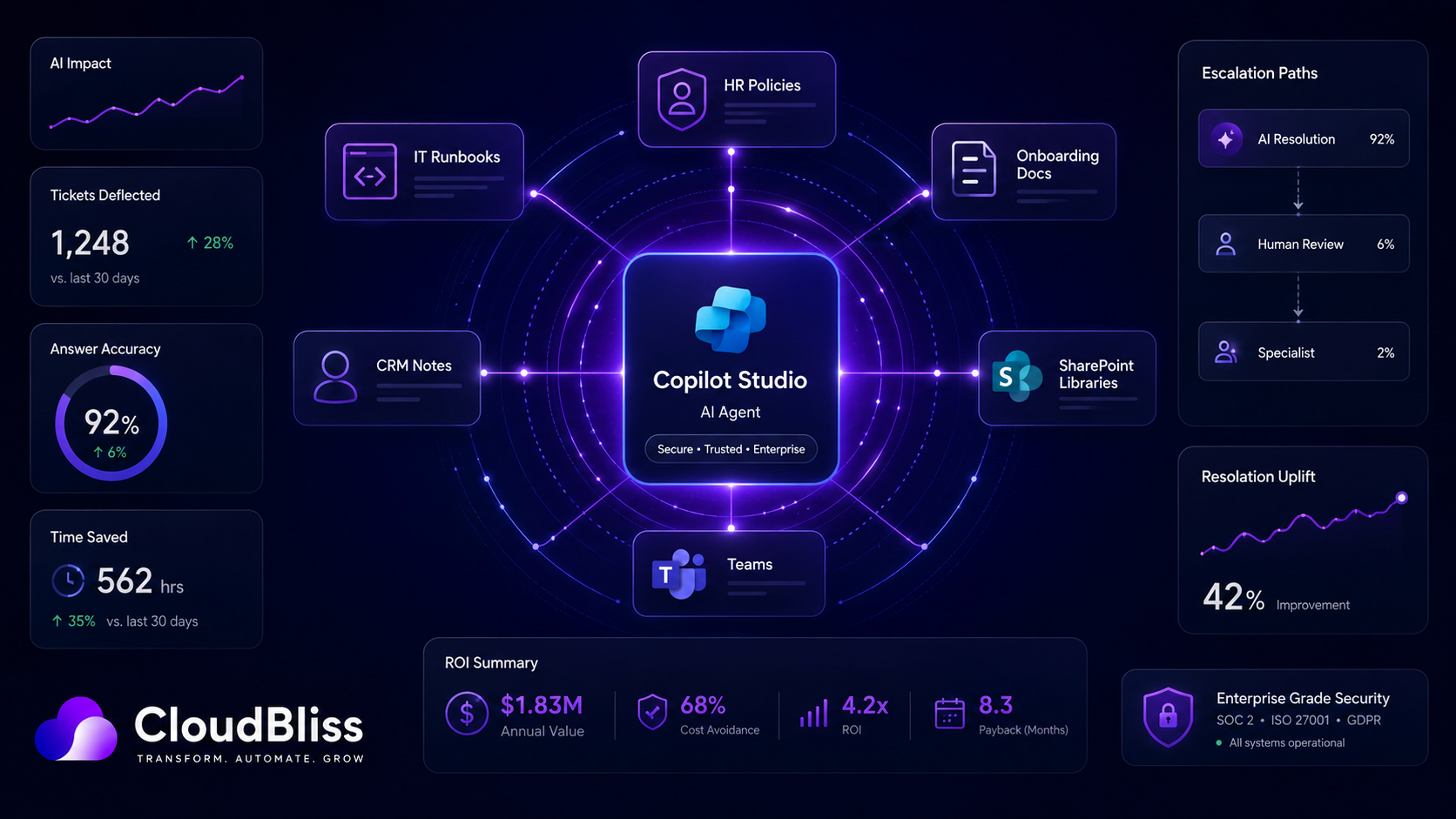
A Copilot Studio agent is a specialist assistant designed around a specific process, knowledge base or audience. It can answer HR policy questions. It can triage IT issues. It can guide new starters. It can prepare sales teams before calls. It can help operations teams find the right procedure.
The value comes from focus.
General Copilot helps an individual work faster.
A specialist agent helps a team reduce a recurring burden.
That distinction matters because most organisations do not have an abstract AI problem. They have very specific capacity problems.
HR is answering the same policy questions.
IT is repeating the same troubleshooting steps.
Managers are onboarding new starters manually.
Sales teams are preparing calls from scattered information.
Operations teams are chasing the same updates.
Finance is answering the same expenses and approval questions.
Those are the places to look first.
The best first agent has five traits
Before you choose your first Copilot Studio build, test the idea against five criteria.
1. It handles repeated questions
The strongest early agents handle questions that come up again and again.
If a team receives the same question every week, that is a strong signal. If the same answer is being copied from a policy, runbook, email template or internal guide, that is an even stronger signal.
Agents are not at their best when they are asked to make complex judgement calls from weak information.
They are at their best when they can retrieve, explain, triage and escalate from trusted content.
2. The knowledge source is clear
A good agent needs a good source of truth.
That might be an HR policy library, an IT knowledge base, a SharePoint onboarding hub, a finance process guide, a product library, a CRM, or a set of approved operating procedures.
If the answer is documented, the agent can be grounded.
If the answer only exists in someone’s head, the first project is not agent development. It is documentation.
This is one of the hidden benefits of building an agent. It quickly exposes whether your internal knowledge is actually ready to be used.
3. The risk is manageable
Your first agent should not make high-risk decisions.
It should not approve legal positions, make employment decisions, give regulated financial advice, or replace human judgement where judgement is genuinely required.
Start with guidance, search, summarisation, triage, simple workflow and escalation.
A safe first agent helps people find the right answer and know what to do next. It does not pretend to be the final authority on everything.
4. Success is measurable
If you cannot measure the problem, you will struggle to prove the agent worked.
Good first-agent metrics include:
- Number of questions answered
- Number of tickets deflected
- Reduction in repeated emails
- Time saved by HR, IT or operations
- Faster onboarding completion
- Improved employee satisfaction
- Reduction in first-line support volume
- Fewer escalations caused by missing information
The metric does not need to be perfect. It needs to be good enough to show whether the agent is useful.
5. The team actually wants it
This sounds obvious, but it is often overlooked.
The best first agent solves a problem people already feel.
If HR is tired of answering the same leave policy questions, they will support an HR policy agent. If IT is drowning in password and access issues, they will support a first-line helpdesk agent. If managers are repeating onboarding guidance every month, they will support a new-starter agent.
Adoption is much easier when the pain is already visible.
The two best first agents for most SMEs
There are many possible Copilot Studio use cases. But for many UK SMEs and mid-market organisations, two stand out as the strongest starting points.
Option 1: The HR policy agent
An HR policy agent is often the best first build because the use case is clear, common and measurable.
Employees ask HR the same questions constantly:
- How do I book annual leave?
- What is the sickness reporting process?
- How do expenses work?
- What is the parental leave policy?
- Can I work from abroad?
- Where is the flexible working form?
- What benefits are available?
- What is the training budget?
- Who approves this request?
Most of these questions do not require strategic HR input. They require a fast, accurate answer from the approved policy.
A good HR policy agent sits inside Microsoft Teams and answers questions using the employee handbook, HR policies, benefits documents and process pages. It cites the source. It explains the answer in plain English. It escalates sensitive or unclear questions to HR.
The value is immediate.
Employees get faster answers. HR gets fewer repeated questions. Managers stop guessing. Policies become easier to use.
The key is to keep the boundary clear.
The agent is not there to invent HR advice. It is there to explain approved HR content and route anything sensitive to a human.
Option 2: The IT helpdesk first-line agent
The second strong candidate is first-line IT support.
Most IT teams deal with a familiar set of repeated issues:
- Password resets
- MFA problems
- VPN access
- Teams audio issues
- SharePoint permission questions
- Printer setup
- Device enrolment
- Software access requests
- “How do I connect to this?” questions
An IT helpdesk agent can answer common questions, guide users through basic troubleshooting, link to approved instructions and raise a ticket when the issue needs a human.
This does not replace IT.
It protects IT from avoidable interruption.
The best version is not a chatbot pretending it can solve every issue. It is a triage layer that handles the simple problems and escalates the rest with better context.
Instead of a ticket that says “Teams is not working”, the agent can collect device type, operating system, error message, screenshots, urgency and steps already tried.
That makes the human support team faster when they do need to get involved.
Other strong use cases after the first win
Once the first agent proves value, you can expand into more specialised areas.
New-starter onboarding agent
This helps new employees find policies, systems, training links, team information and role-specific guidance during their first weeks.
It is especially useful for growing firms where managers repeat the same onboarding guidance every month.
Sales pre-call briefing agent
This helps sales teams prepare for meetings by pulling together CRM notes, previous emails, proposals, case studies and account history.
It is useful where sales information exists but is scattered across too many places.
Finance policy agent
This answers questions about expenses, purchase orders, approval limits, invoice submission, supplier onboarding and month-end processes.
It is useful when finance teams are frequently interrupted by process questions.
Operations knowledge agent
This helps operational teams find SOPs, safety guidance, asset instructions, maintenance procedures or service processes.
It is useful where speed and consistency matter.
Customer support knowledge agent
This supports internal support teams by finding approved answers, product information and troubleshooting steps. For some organisations, it can later become a customer-facing agent, but it is usually safer to prove it internally first.
Why many AI agents fail after the demo
A demo agent is easy to make look good.
A production agent is harder.
Agents fail when the business forgets that the technology is only one part of the system.
Common failure points include:
- The source content is outdated.
- The agent has no clear owner.
- No one reviews unanswered questions.
- The permissions model is not tested.
- The agent cannot escalate properly.
- There is no analytics dashboard.
- Users do not know when to use it.
- The business never defined success.
- The agent is launched and then abandoned.
That is how an AI project becomes demo-ware.
It exists. It may even work in narrow tests. But it never becomes part of how the team operates.
A production agent needs an operating model
Before launching even a simple agent, answer these questions:
- Who owns the content?
- Who owns the agent?
- Who reviews failed answers?
- Who approves changes to the knowledge base?
- Who handles escalations?
- Who monitors usage?
- How often will the agent be improved?
- What metric proves it is working?
These questions are not bureaucracy. They are what make the agent durable.
An AI agent without ownership becomes another abandoned tool.
An AI agent with ownership becomes part of the operating model.
A practical first-agent roadmap
A focused Copilot Studio agent project can be structured in four stages.
Week 1: Choose the queue and clean the knowledge
Define the problem tightly.
For example:
“Reduce routine HR policy questions by 40%.”
Or:
“Deflect 30% of first-line IT tickets before they reach the helpdesk.”
Then gather the approved source content. Remove outdated documents. Resolve contradictions. Decide what the agent can answer and what it must escalate.
This is the week where you make the project real.
Week 2: Build the agent and test grounding
Connect the knowledge sources. Configure topics. Design the conversation paths. Test common questions. Check whether answers are grounded in the right source material.
This stage often exposes weak documentation. That is not a failure. It is useful.
If the agent cannot find a clear answer, your employees probably could not either.
Week 3: Pilot with real users
Do not launch to everyone immediately.
Pilot with a small group of real users and ask them to use the agent for normal work. Track what it answers well, what it misses, when it escalates and where users lose trust.
The pilot should not be a vanity test. It should be a learning cycle.
Week 4: Launch, measure and improve
Launch with clear guidance:
- What the agent is for.
- Where to find it.
- What it can answer.
- What it cannot answer.
- When to escalate to a human.
- How users can give feedback.
Then review usage weekly for the first month.
Look at question volume, answer quality, escalation rate, unanswered questions and user feedback. Improve the source content and conversation paths based on what people actually ask.
The Cloudbliss view
The AI agent market is noisy.
There is a lot of talk about autonomous agents, enterprise transformation and the future of work. Some of that is real. Some of it is theatre.
For most SMEs, the best first step is simpler.
Find a repeated internal queue.
Connect it to trusted knowledge.
Build a focused agent.
Pilot it with real users.
Measure whether it saves time.
Improve it every week.
That is less glamorous than a grand AI strategy, but it is much more likely to work.
The first agent should create a visible win. It should make a team’s week easier. It should be useful enough that people ask what else could be automated.
That is how AI adoption becomes real.
Final thought
Do not start with the technology.
Start with the queue.
The best first Copilot Studio agent is the one that solves a frequent, irritating and measurable problem using trusted internal knowledge.
For many organisations, that means HR policy or first-line IT support. Not because they are the flashiest use cases, but because they are useful every single week.
And useful beats impressive.
Every time.
------------
If you are interested in Copilot Studio but do not know which agent to build first, Cloudbliss can help you identify the highest-ROI use case and scope it properly.
Our Copilot Studio Agent Design Session helps you choose the right first queue, define the source content, map the escalation route, estimate ROI and produce a fixed-scope build plan for a practical first agent.
FAQ
What is a Copilot Studio agent?
A Copilot Studio agent is a custom AI assistant built for a specific process, team or knowledge base. Unlike general Microsoft 365 Copilot, it is designed to answer questions or complete tasks in a defined area such as HR policies, IT support, onboarding or sales enablement.
Which Copilot Studio agent should we build first?
The best first agent is usually attached to a repeated internal queue. HR policy questions and first-line IT support are often strong first use cases because they are frequent, measurable and based on documented internal knowledge.
Do Copilot Studio agents replace staff?
A well-designed agent should not be positioned as a staff replacement. It should reduce repetitive questions, improve triage, speed up access to information and free specialists to focus on higher-value work.
What makes a Copilot Studio agent successful?
Successful agents have a clear use case, trusted source content, a defined owner, tested permissions, escalation routes, user guidance and usage analytics. The operating model matters as much as the build.
How long does it take to build a first Copilot Studio agent?
A focused first agent can often be designed, built and piloted in a few weeks if the source content is ready and the use case is tightly scoped. More complex agents with integrations, actions or sensitive workflows take longer.